


3D Curved Screen Magnifier for Smartphones
3D Curved Screen Magnifier for Smartphones
Couldn't load pickup availability

3D Curved Screen Magnifier for Smartphones
Give Your Phone Videos a Bigger View
Enjoy an enlarged view of your favorite videos with a foldable optical magnifier. No batteries, charging, or app required.
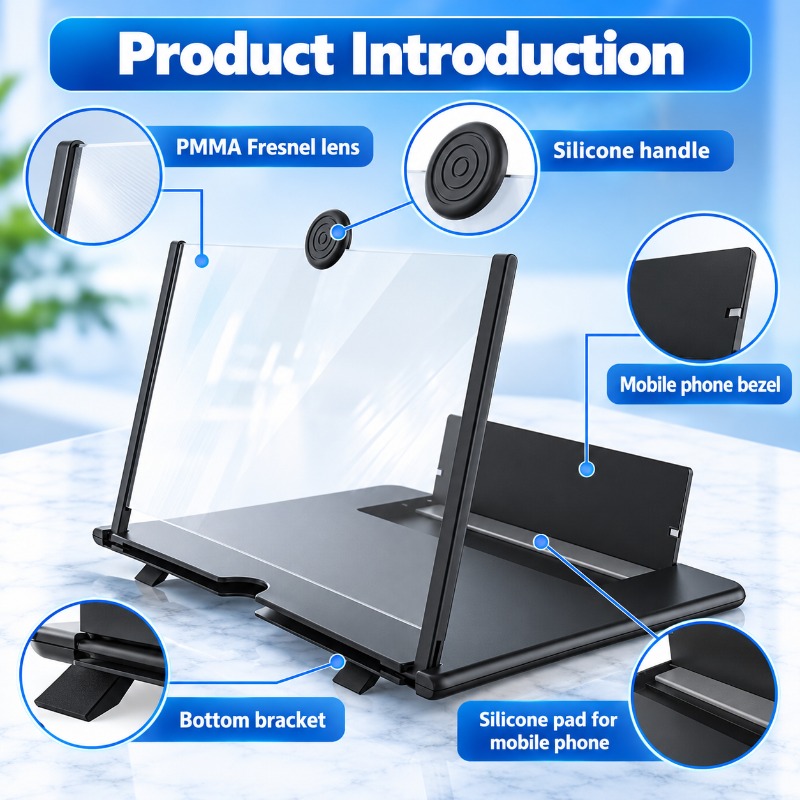
Your smartphone is not included. Actual viewing results depend on lighting, screen brightness, viewing angle, and phone placement.
Select your preferred option in the product section.
Enjoy Your Favorite Content in a Bigger View
From catching up on videos to following a recipe, this compact magnifier gives you another way to enjoy content on your smartphone.
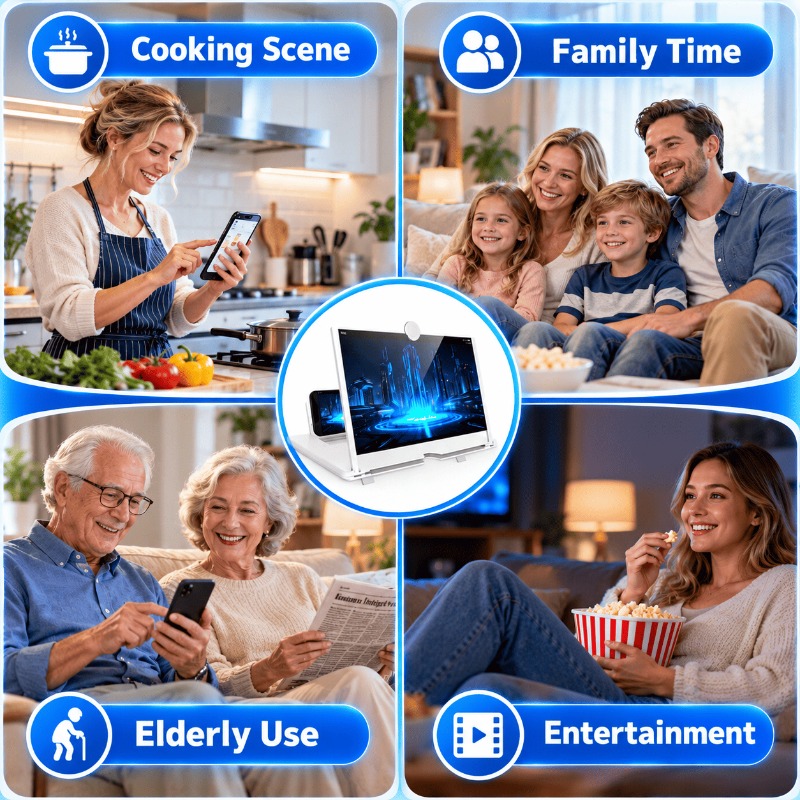
Movie & Video Time
Set up your phone on a stable surface and enjoy an enlarged view of your favorite video content.
Cooking Tutorials
Keep a recipe or cooking video in view while preparing ingredients at the kitchen counter.
Relax at Home or Away
Use it on a suitable desk or bedside table at home, or pack it for a trip when space allows.
Fold It Away When You're Done
The foldable structure lets you close the magnifier when it is not in use. Keep it with your everyday accessories or pack it in a bag when traveling.
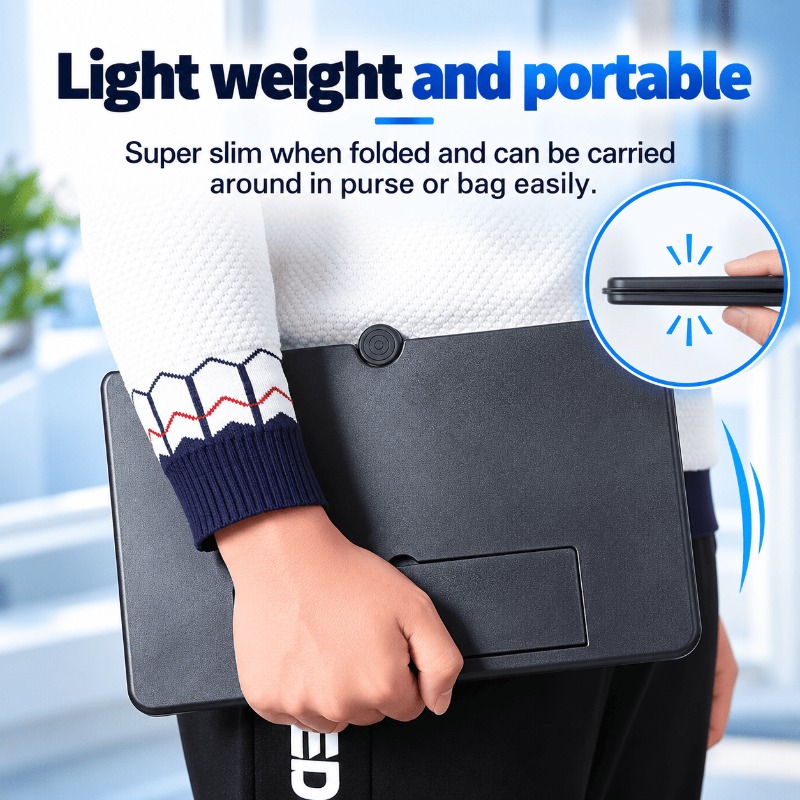
- Folds down: Close the structure when you have finished watching.
- Portable format: Suitable for storing with your everyday accessories.
- Simple setup: Open it again when you want to watch your phone content.
Set Up Your Phone for Hands-Free Viewing
The built-in phone support helps hold your smartphone in position while you watch. Set the magnifier on a stable, level surface and adjust the support and lens placement for your viewing setup.
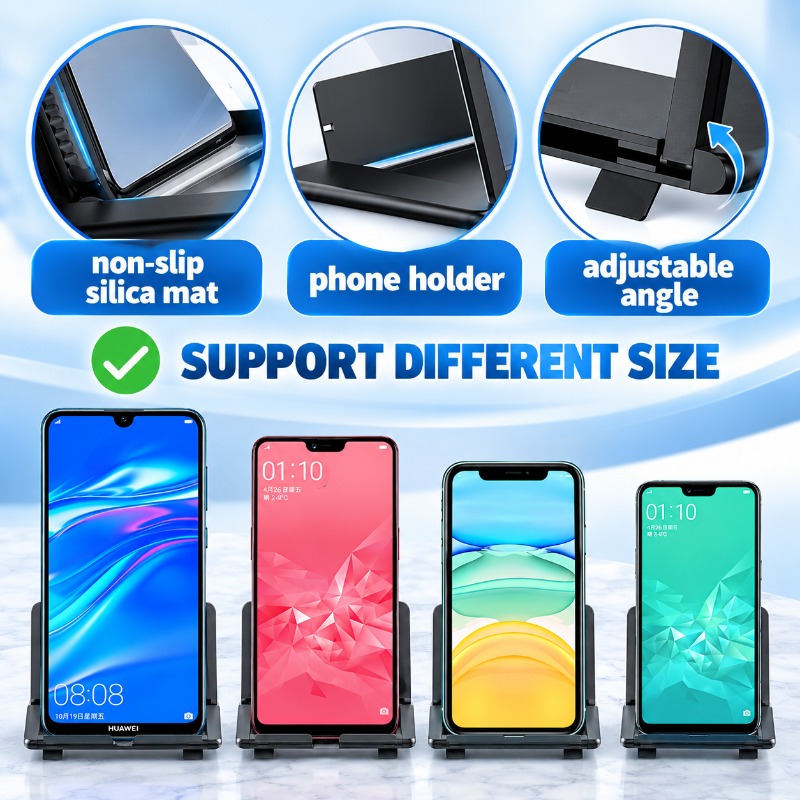
Phone Support
Position your phone in the holder as shown in the product instructions.
Viewing Adjustment
Adjust the support and lens placement to find a suitable viewing position.
Stable Surface
Place the device on a flat, stable desk or table during use.
Get Started in a Few Simple Steps
No app installation, pairing, or charging is needed. Open the magnifier, position your phone, and adjust the viewing setup.
- Open the base Unfold the stand on a stable, level surface.
- Raise the lens Extend the lens panel using the built-in handle and place it in its upright position.
- Position the support Raise the phone support and adjust it according to the product design.
- Place your phone and play Secure your phone in the holder, start your video, and adjust the setup for viewing.
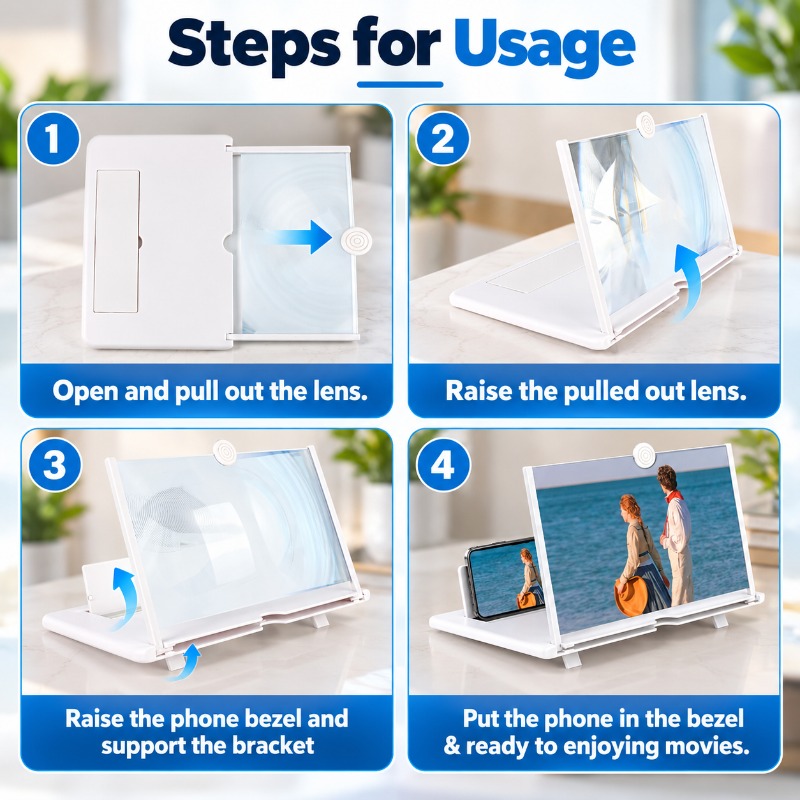
Follow the actual product design when unfolding and positioning the lens and phone support.
Enlarges the Image Displayed on Your Phone
The PMMA Fresnel lens is designed to magnify the image on your smartphone screen. Unlike an electronic display, it works optically, without a battery or power connection.
Optical Lens
Uses a Fresnel-style lens to enlarge the appearance of content on your phone screen.
No Power Required
No charging cable, battery, Bluetooth connection, or companion app is required.
Adjust Your Setup
Lighting, phone brightness, screen position, and viewing angle can affect the result.
Choose the Size That Suits Your Setup
Select from the available 10-inch and 12-inch models. Consider your available table space and preferred viewing area before making your choice.
10-Inch Model
Consider this option if you prefer a smaller nominal lens size for your setup.
12-Inch Model
Consider this option if you prefer a larger nominal lens size and have more room available.
Available Colors
Product Specifications
- Product Type Foldable Smartphone Screen Magnifier
- Available Sizes 10 Inch / 12 Inch
- Available Colors Black / White / Red
- Base Material ABS Plastic
- Lens Material PMMA
- Support Pads Silicone Pads
- Power Source No Power Required
- Package Includes 1 × Foldable Screen Magnifier Stand
Frequently Asked Questions
Find out more about setup, compatibility, and everyday use before choosing your magnifier.
Does this screen magnifier need batteries or charging?
No. It uses an optical lens to enlarge the image displayed on your smartphone. It does not require batteries, charging, Bluetooth, or an app.
Will the picture look exactly like my phone screen?
The lens enlarges the appearance of the image on your phone, but it does not increase the phone's native resolution. The viewing result can vary with lighting, screen brightness, phone placement, and viewing angle. Please refer to the product's real-use demonstration for a representative view.
Will it fit my smartphone with a protective case?
Fit depends on your phone and case dimensions. A bulky protective case may affect how the phone sits in the holder. Check the available holder measurements and your phone dimensions before placing an order.
Can I use it for scrolling, reading, or gaming?
It is primarily intended for viewing smartphone content, such as videos and tutorials. You may need to reach behind the lens to interact with your phone, so frequent scrolling or games that require precise touch controls may be less convenient.
Which size should I choose: 10-inch or 12-inch?
Consider the nominal lens size, the space available on your desk, and your preferred viewing setup. The 12-inch model has a larger nominal lens size, while the 10-inch model has a smaller nominal lens size. Please check the actual dimensions of each available variant before purchasing.
How should I clean the lens?
Gently wipe the lens with a clean, soft microfiber cloth. Avoid rough fabrics and abrasive materials that may scratch the surface. Follow any additional care instructions supplied with your product.
What is included in the package?
The listed package includes one foldable screen magnifier stand. The smartphone shown in the product images is for demonstration and is not included.
Make More of Your Phone Video Time
Choose your preferred size and color, set up the foldable magnifier, and enjoy an enlarged view of your favorite smartphone videos without charging another device.
Please review the available sizes and colors before ordering.


